

Google is now pushing its own AutoArchive feature on Android that dumps unused apps from your device without deleting your user data. The new feature is similar to Apple’s Offload Unused Apps feature on iOS and can free up nearly 60% of an app’s storage space without having to uninstall the app. Google has confirmed that the new app archiving feature is only available on apps published in the App Bundle format.
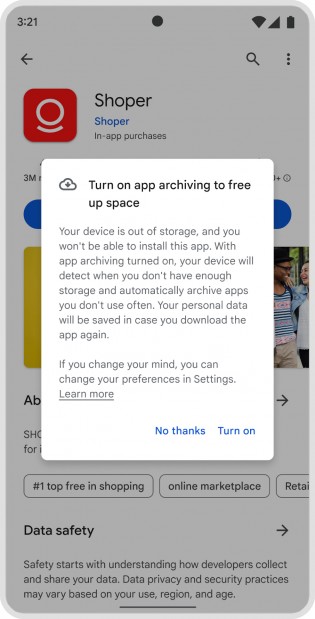
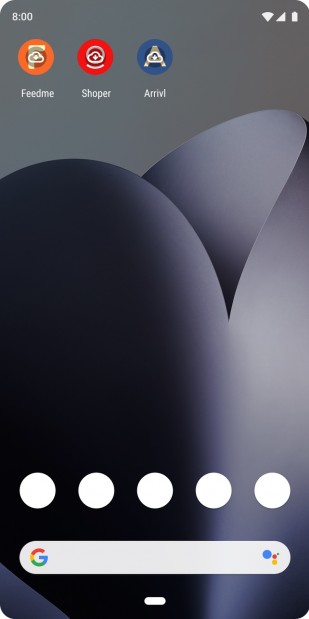
Archive app prompt (left) and archived apps on the home screen (right)
Users will be prompted to opt in to AutoArchive when they try to download an app on the Play Store when their device is running low on storage. Once the user agrees to the terms, their device will be able to archive unused apps to free up storage space.
Archived apps will still appear in the app drawer and home screen with a gray cloud icon overlay. If you want to use an archived app, a simple tap on its icon will re-download the app’s files and you’ll be able to continue using it as before. Users will be able to manage application archiving preferences in Settings.
source